


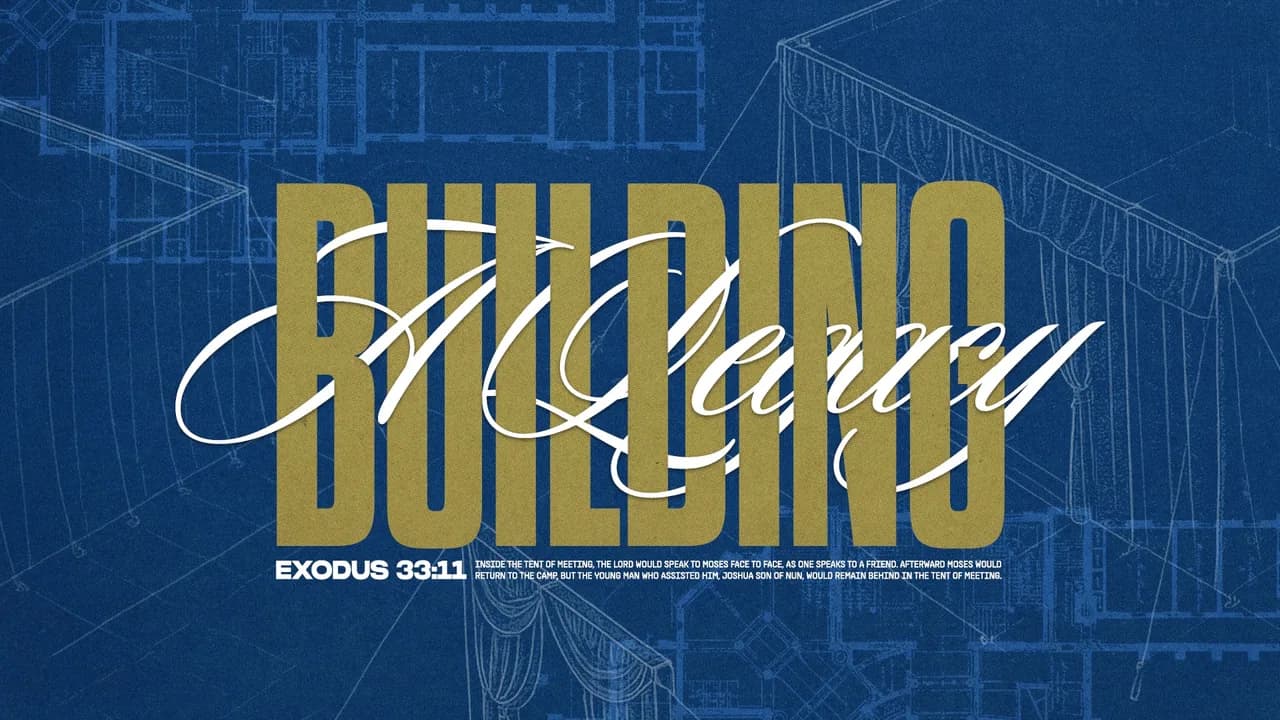
An announcement slide is a sign, and signs get read in about the time it takes to walk past one. A first-time guest doesn't have any history with your church and gets one glance at the screen, so the slide on the LED wall or the lobby TV has to work from a distance.
1. Put Text on Quiet Space You Make on Purpose
Keep words off the busy part of the photo, and if the photo has no quiet part, build one.
A photo of a packed room or a stage full of lights is crowded with edges, and letters laid across edges don't stand a chance. The eye can't separate the stroke of an "E" from the stroke of a lighting rig. On an LED wall it gets worse, because the detail in the photo grows to the same size as your words.
Designers solve this before they ever touch the font. Compose the slide in thirds: the subject of the photo takes one third, and the text takes the other two. A worship photo with the band bunched on the left and a dark wall on the right already has its layout.
When the photo has no open area, you've got four fixes, and any of them fits a Saturday night pass:
- Crop in until a calm patch of floor, wall or sky shows up.
- Lay a solid panel of color behind the text and let the photo sit around it.
- Add a dark gradient that fades in from the edge where the text lives.
- Blur the photo behind the text, which flattens the detail and keeps the mood.
Don't run text across a face. A face pulls the eye first, so the words end up fighting the one thing the guest already wants to look at. Faces that look toward the text help, because people follow a gaze.
2. Say Kids Check-In Instead of Sprouts
Use language anyone can understand, and leave internal names and acronyms off the slide.
Every church has names for things: Sprouts, Rooted, a nickname for the fellowship hall. For people who've been coming for years, those words are shorthand for where the kids go and where the group meets. A first-time guest doesn't have the key to that shorthand, and the slide is usually the only help they'll get.
Two swaps:
- "Sprouts opens at 9:00" becomes "Kids Check-In opens at 9:00, down the hall on the left."
- "Rooted starts this week" becomes "Small groups start this week."
If the door itself carries the internal name, match the sign once on the slide, like "Kids Check-In (Sprouts)". That gives the guest a way to connect the screen to the hallway. After that, use the plain words everywhere else.
To find these words, read the slide aloud to someone who's never been to your church. Wherever they ask "what's that?", you've found one. Abbreviations get the same treatment, so write out Vacation Bible School before you ever shorten it to VBS.
3. Build a Size Order With the Event Name Biggest
Make the slide have one clear biggest thing, and make that thing the name of the event.
Hierarchy is what lets a reader know what to read first without anyone telling them. It's built from size, weight and position, and you can't fit more than about three levels on a slide before it turns into a wall of text. The first question a guest asks is "what's this?", so the name goes on top and largest. Then comes when, then where, each a step smaller than the one above it.
For a welcome lunch:
- Welcome Lunch (largest)
- Sunday, 12:15 PM (medium)
- Fellowship Hall (small)
The same order works for a serve day or a men's breakfast: event name, time, place. Anything beyond those three lines gets the small size, and most of it doesn't need to be on the slide at all.
A few details separate a readable slide from a good one:
- Left-align the text, because centered lines have a ragged left edge that makes the eye hunt for where each line starts.
- Write times as digits, "9:00 AM", because numerals are faster to pick out than words.
- Keep the text inside a generous margin, because some TVs crop the edges of the picture, and a line that's sitting near the corner can get cut off.
4. Check It From the Back Row and Cut Until It Reads
Test the slide at the farthest spot anyone will stand, and keep cutting words until it can be read in one glance.
A laptop lies to you. Text that looks fine at arm's length on a 15-inch screen turns to mush across a sanctuary, and the lobby's harder because people pass the TV at an angle and rarely stop. A commonly used AV rule of thumb is about one inch of letter height for every ten feet of viewing distance, so a guest forty feet away needs letters around four inches tall on the screen. Another common guideline puts the farthest viewer no more than six to eight screen-heights from the display. Those are starting points. Your own back row is the real test, so put the slide on the actual wall or TV when the building's quiet, and walk back to where a latecomer would sit.
Type weight matters as much as size. Thin and light fonts break up into hairlines on a wall, and script fonts blur letter shapes into each other. Use a medium or bold weight with open spacing, and save all caps for short labels, since a full sentence in capitals isn't quick to read.
Then cut. A slide that reads like an invitation letter:
Join us this Sunday after the service for a welcome lunch with food and time to meet some of our families in the fellowship hall.
After the cuts:
Welcome Lunch Sunday, 12:15 PM Fellowship Hall
The long version buries the time in the middle of a sentence. The short one puts the name first and the time right under it, and a greeter can answer anything else you'd have squeezed in.
On a looping lobby slide, give each one enough time to be read aloud twice. If you can't read it twice in that time, there are still too many words on it.
5. Pick Colors Far Apart and Measure Them
Use light on dark or dark on light, check the contrast ratio, and skip gold on cream.
Two colors close in brightness look refined on a mockup and vanish in a real room, because ambient light washes out contrast first. Contrast comes from lightness, so hue won't help much. Red on dark green looks like two strong colors, but they sit at nearly the same lightness, which is why that pair doesn't work.
You can measure this instead of guessing. The accessibility standard WCAG asks for a contrast ratio of at least 4.5 to 1 for regular text and 3 to 1 for large text. Treat those as the floor. A screen across a bright lobby deserves more. Gold on cream commonly lands around 2 to 1, which doesn't even clear the large-text minimum. Cream text on deep navy, or near-black text on cream, clears it easily. Free contrast checkers will give you the ratio for any two colors in a few seconds.
Two quick tests that don't need any tools:
- Squint at the slide until the details blur. The text should still stand out as a shape.
- Take a photo of the screen and turn it black and white. If the words melt into the background, you'll want to push the colors farther apart.
On a bright LED wall, pure white text on pure black can glow and smear at the edges of the letters. Many designers step back to an off-white on a deep navy or charcoal, which keeps the contrast high without the glare.
6. End on One Next Step Within Walking Distance
Give the guest a single action they can take in the next minute, in the room they're standing in.
A slide that offers four things (sign up online, fill out a card, talk to an usher, follow you on Instagram) leaves the guest with a choice, and a first-time guest facing a choice usually doesn't take any of them. One step close enough to picture works better, and it's the one they'll actually take.
The connection desk is a strong one. "Stop by the connection desk in the lobby" gives a guest a place to walk and a person waiting. Compare "Visit our website to learn about next steps," which asks them to pull out a phone and type, usually on a slide that's gone in a few seconds.
Lead the step with a verb and put it at the bottom in the small size, where it's still readable from the back. Match the step to the topic: the children's slide ends with the door to walk to, and an event slide ends with how to sign up, including the desk if that's where sign-ups happen.
The Short Version
Text on quiet space you made on purpose, plain names for every room, a size order with the event name biggest and then the time and the place, a back-row check with the extra words cut, contrast you've measured, and one next step at the end.
Save this today so it's on hand when you build the next set, or send it in a minute to whoever builds the slides at your church.
Want this off your plate next week?
A real Squad of church creatives handles your graphics, video, social, branding, and website. Twenty minutes on a call is usually enough to tell whether it fits.


Published by Church Media Squad on October 20, 2026.