


Instagram just rolled out some exciting changes that can help your church reach and connect with more people. Whether you're sharing sermon clips or posting about your next event, these updates can give you new ways to share your message.
Let's break down what's new and how it can work for your church!
1. Your Instagram Grid Got a New Look
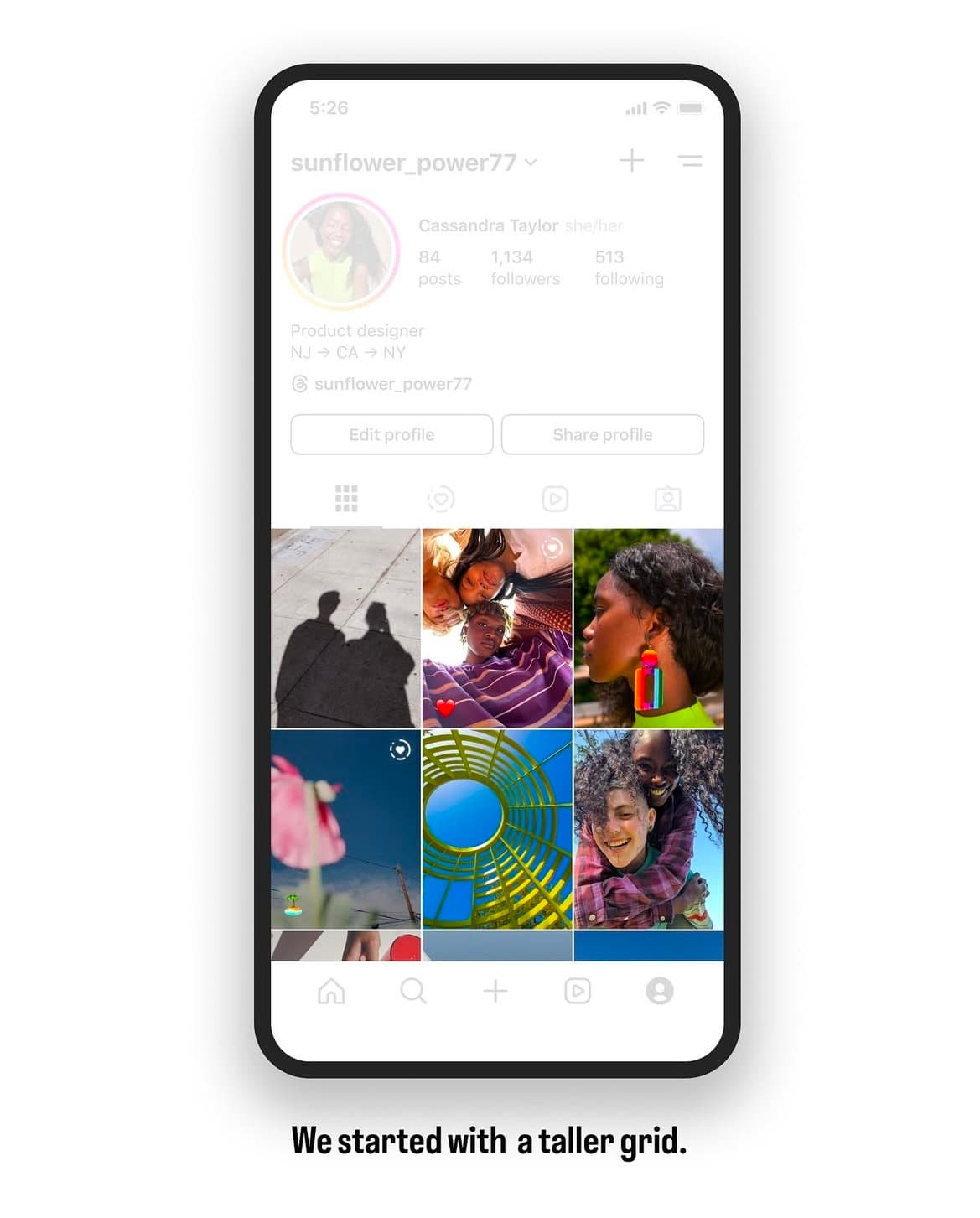
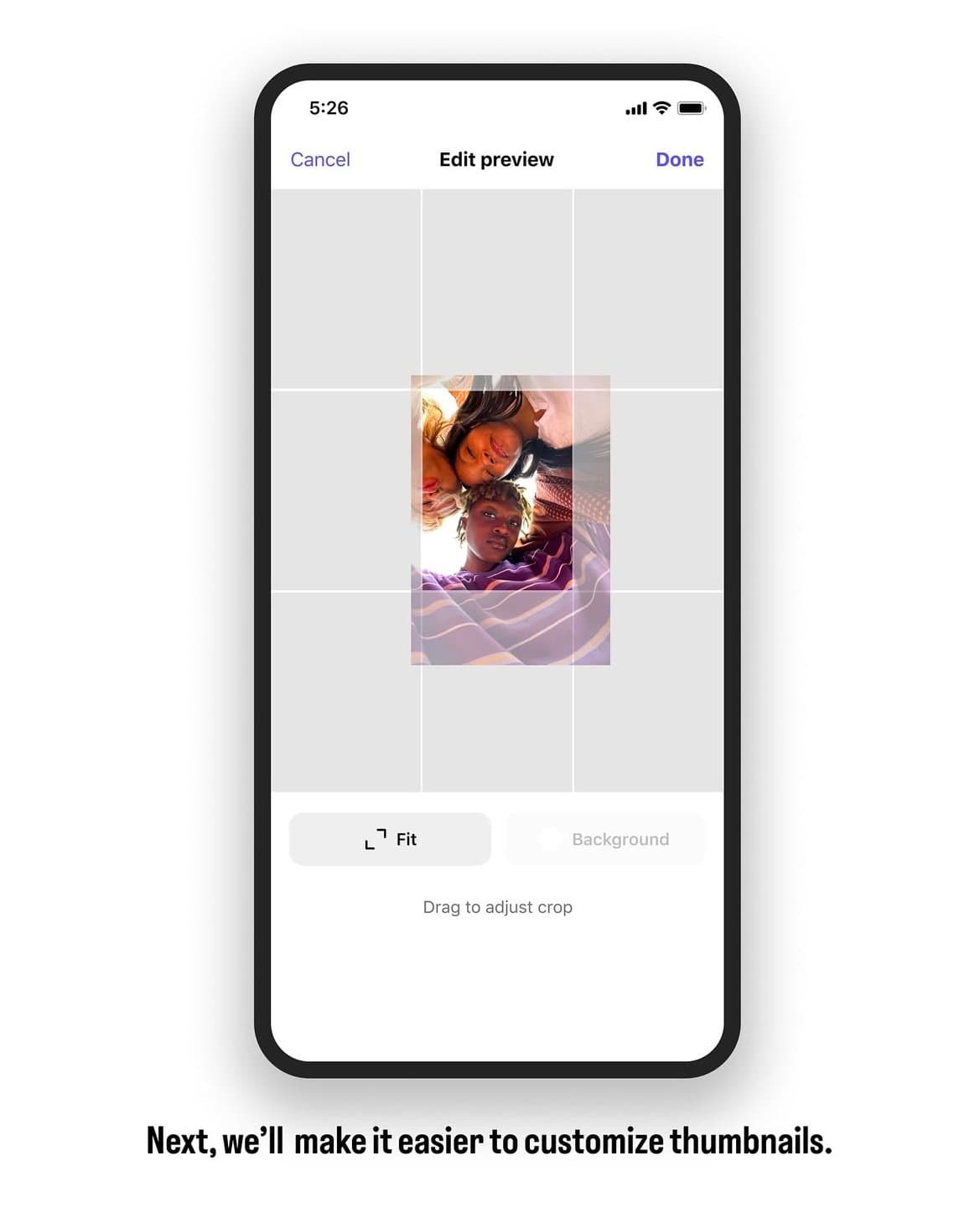
Instagram has updated its profile grid from square posts to a 3:4 aspect ratio. This means your church's profile will show taller images instead of perfect squares. If you've spent time creating a beautiful square grid, don’t worry - Instagram lets you adjust your previous posts to fit this new layout (shown below in the second image).
Instagram's CEO, Adam Mosseri, also shared upcoming updates to the feed, including:
→ The option to move posts around on your grid
→ Adding your story highlights on your grid instead of above it
What does this update mean for your church? Move away from posting square photos and graphics, and use a 4:5 ratio for photos or graphics and a 9:16 ratio for videos (the standard video format, but vertical).
See Instagram’s announcement about the grid update: 🔗 Instagram Grid Update
2. Reels Are Extended to 3 Minutes
Instagram Reels can now be three minutes long, which is double the amount of time from the previous limit. This gives your church more time to share meaningful messages.
When planning your reels, whether long or short, remember that the first three seconds of your reel matters most. This is your chance to capture someone’s attention and keep them watching by using an interesting hook like a bold statement, on-screen text, or a question.
Your church can use this increased time limit to share:
- Longer sermon clips (Tip: Cut breaths, pauses, and filler words to keep people engaged and watching longer clips)
- Impactful stories from churchgoers
- Highlights from different ministry teams
- Behind-the-scenes moments (one of our favorites!)
Check out Instagram’s update on Reels: 🔗 Reels Update
3. Meet "Edits" – Instagram's New Video Tool
Instagram is launching a new app in March called Edits to help you create videos right from your phone.
Here’s what Instagram CEO Adam Mosseri had to say about it:
“Edits is more than a video editing app; it’s a full suite of creative tools. There will be a dedicated tab for inspiration, another for keeping track of early ideas, a much higher-quality camera, all the editing tools you’d expect, the ability to share drafts with friends and other creators, and—if you decide to share your videos on Instagram—powerful insights into how those videos perform.”
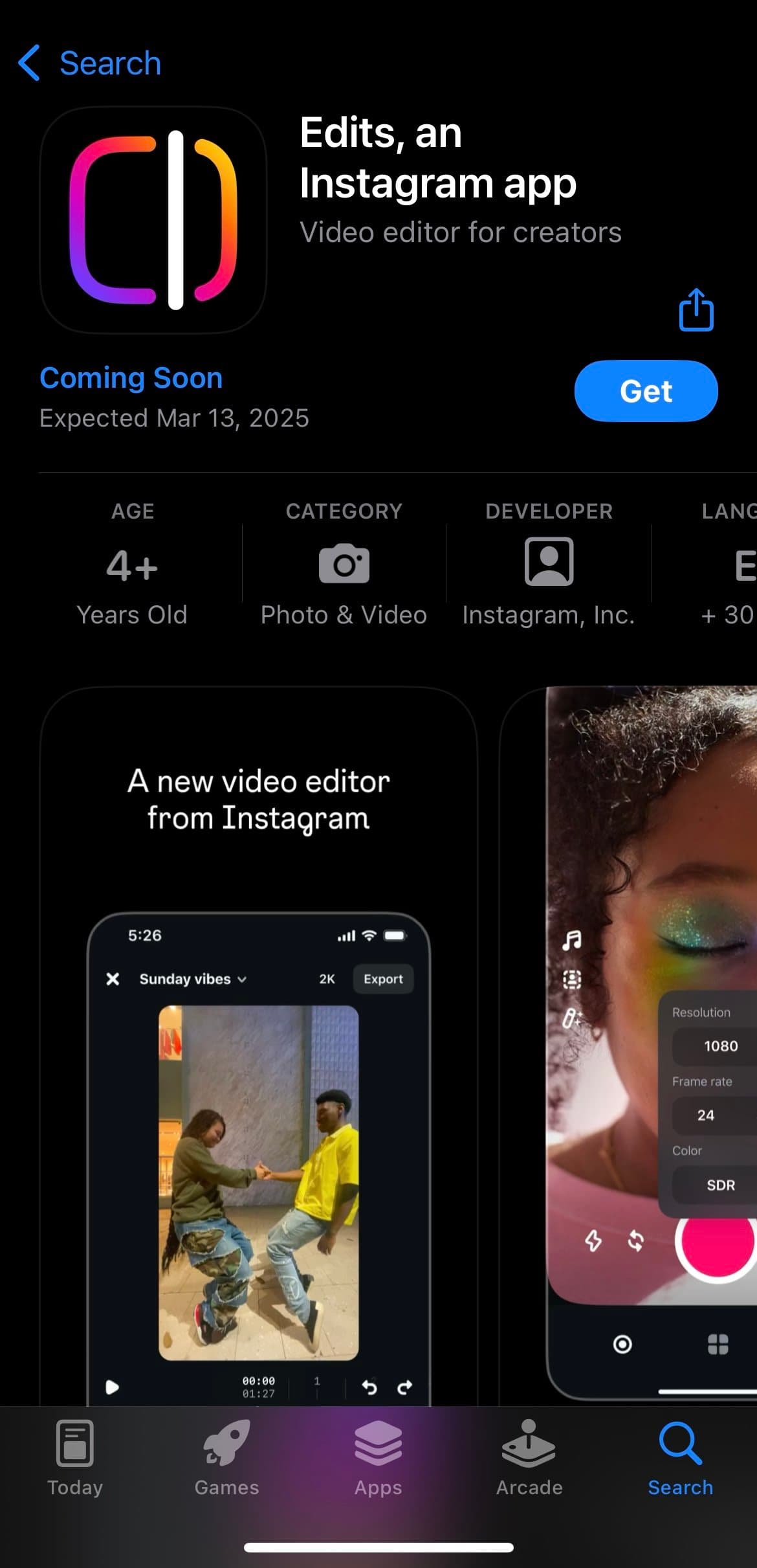
The app launches next month for iOS users, with Android coming soon.
We’re keeping an eye on this update and will share creative ways your church can use it once it launches. Stay tuned!
🔗 Full Announcement on Edits
4. Test Your Reels Before Posting
Instagram now allows you to test Reels before they go live to see how they will perform.
This feature is likely more useful for influencers and content creators focused on growth. However, if your church is running outreach campaigns, this could help test engagement on posts designed to reach new people!
🔗 More on Reels Testing
Instagram’s Tips for Better Posts
Adam Mosseri has been sharing a lot of insights lately on how to optimize posts for better reach. Here are a few key takeaways:
- Avoid watermarked videos
- Add audio, even for photo carousels
- Keep videos under 3 minutes
- Post original content
- Post consistently (but don’t burn out)
- Experiment with different types of posts
- Check your Account Status to make sure your account is in good standing
Want more details? Check out more of his posts here: 🔗 Instagram's Ranking Tips 🔗 Advice About Posting Frequency
Need Help Keeping Up?
Social media changes quickly, and we know you're busy serving your people. If you’re feeling overwhelmed by keeping up with all these changes, our Social Media Squad is here to help! We can create custom sermon content and strategic social media plans so your church can focus on ministry while we handle the media.
Need help with your church’s social media? Let’s chat!
Want this handled for you?
One sermon becomes a week of posts. We cut it, design it, write it, and on the top tiers we schedule it for you.


Published by Church Media Squad on February 5, 2025.